AI can speed up your job search, but only if you use it with judgement. This guide shows you how to use AI to find better roles, update your CV, prepare for interviews and stay organised without sending bland applications that sound like everyone else’s.
Every tech job seeker in 2026 has access to the same AI tools. That is not an advantage anymore. It is a baseline.
According to the Dice Tech Job Report, 71% of U.S. tech job postings now require some form of AI skill. CompTIA's 2026 workforce data puts the number of active postings referencing AI skills at over 275,000 in early 2026 alone. Dedicated AI roles are up roughly 81% year over year. AI fluency is not a differentiator. It is the entry ticket.
The problem is that most job seekers are using AI in exactly the same way: paste a job description, generate a cover letter, repeat. The output is generic. Recruiters notice. And in a market where the median time to first offer hit 108 days in Q1 2026, the cost of blending in is higher than it has ever been.
The real edge is not having AI. It is using it better than everyone else.
This guide covers how mid-career professionals targeting tech roles can use AI across the full search: from targeting and CV updates to interview prep and search organisation. It also covers where AI actively hurts your chances, which most articles skip entirely.
What you will find in this guide:
- How to use AI to screen and target roles before you apply
- How to update your CV and cover letter without fabricating anything
- How to use AI for interview preparation, not just document drafting
- How to run a disciplined 90 to 120-day search with AI support
- Where AI creates risk and how to avoid the most common mistakes
- AI is not the advantage anymore. Using it well is. In 2026, AI fluency is baseline in tech hiring, so the real edge comes from better judgement, better inputs and better execution
- AI works best as a job search assistant, not an autopilot. It is strong at analysing job descriptions, tightening CV bullets, generating interview questions and organising admin, but weak at replacing evidence, judgement and personal voice
- Better targeting beats more applications. Using AI before you apply helps you screen roles, spot poor fits, compare job descriptions and focus effort where you have a real chance of landing interviews
- AI can improve CVs, cover letters and interview prep, but only when you feed it real experience. Generic or fabricated AI output is easier for recruiters to spot and can damage your chances
- A long job search needs a system. AI helps most when it supports organisation, follow-ups and consistency across a 90 to 120-day search, so you create better signals instead of more noise
What AI is actually good for in a job search
| Tool | Best for | Where it falls short |
|---|---|---|
| ChatGPT | Drafting, summarising, brainstorming, interview practice | Does not know your full job search history, preferences or application pipeline |
| Job boards | Finding live vacancies and market signals | Poor personalisation and limited workflow support after you find a role |
| Spreadsheets | Basic application tracking | Easy to neglect, disconnected from CVs, interviews and follow-ups |
| Ask Tua | Matching, tracking, CV targeting and search organisation | Best suited for people who want a structured search, not one-off AI prompts |
The best setup is not choosing AI instead of judgement. It is using AI to make better decisions faster. Ask Tua is designed for that middle ground: more structured than ChatGPT, more personalised than a job board and more useful than a spreadsheet once your search becomes active.
Before getting tactical, it is worth being honest about what AI does well and where it reliably fails. Most people skip this framing and go straight to prompts. That is why their applications end up sounding like everyone else's.
AI is strongest at tasks that are repetitive, pattern-based and language-heavy. It is weakest when asked to replace evidence, judgement or role-specific nuance. The mental model that works: AI as a disciplined assistant, not an autopilot.
Good use of AI
- Analysing a job description for key skills and seniority signals
- Tightening bullet points using your own metrics and outcomes
- Drafting a cover letter structure from your own notes
- Generating mock interview questions from a live job description
- Summarising a long role or company brief before a call
- Tracking and organising applications across a long search
Bad use of AI
- Generating a full application without any personal input
- Asking AI to invent achievements or quantify results it cannot verify
- Copying AI output directly without reading it aloud
- Using AI-scripted answers verbatim in a real interview
- Letting AI research replace your own view on whether a role fits
- Automating bulk applications to roles you have not properly screened
Prospects puts it plainly: using AI to enhance or edit your application is recommended, but a fully AI-generated submission without careful edits is not advisable. The difference between the 2 is whether you are in the driver's seat.
Step 1: use AI to target the right roles before you apply
Most job seekers use AI too late in the process. They find a role, like the title and ask AI to help them apply. The smarter move is using AI earlier, before the application, to decide whether the role is worth pursuing at all.
This matters more in 2026 than it did 2 years ago. Huntr's job search data shows that 93% of job seekers believe they have encountered fake or misleading listings. Indeed's AI Tracker reports that job postings mentioning AI skills have surged more than 130% since 2023. The volume of noise has increased. Screening discipline is now a competitive advantage.
For mid-career professionals, stronger targeting beats higher application volume every time. Ten well-matched applications will outperform 50 generic ones in a slow market.
How to use AI to screen and prioritise roles
- Paste the job description and ask for a skills breakdown. Prompt: "List the core technical skills, soft skills and seniority signals in this job description. Flag anything that suggests this is a junior, mid-level or senior role." This surfaces expectations that are buried in the language.
- Compare 2 or 3 target roles side by side. Prompt: "Here are three job descriptions for [role type]. What skills and outcomes appear in all three? What is unique to each?" This reveals the pattern of what employers in your target space actually want.
- Identify gaps before you invest time in an application. Prompt: "Based on this job description, what experience or skills would a strong candidate have that I should address in my CV?" Then decide whether the gap is bridgeable or whether the role is a poor fit.
- Check the language the employer uses. Note the specific verbs, tools and outcomes in the posting. Mirror that language in your application. AI can help you extract it quickly.
If you are finding that AI-generated job matches are consistently off-target, it is usually a problem with the matching logic, not the market. We wrote about why ChatGPT gives irrelevant job matches and how to fix it if you want to go deeper on that.
Step 2: use AI to update your CV and cover letter without fabricating anything
This is where AI creates the most value for mid-career candidates, and where it causes the most damage when used carelessly.
The legitimate use case is clear: AI can tighten your language, surface achievements you undersell and align your experience to the specific language of a role. Done well, it makes your application more readable and more relevant without changing what is true about you.
The risk is equally clear. Generic output from AI tools flattens your personality and produces applications that read like everyone else's. Recruiters are increasingly attuned to this. According to recruiter surveys, 67% of hiring managers believe they can identify AI-modified CVs, and generic, unedited AI text is widely flagged as a signal of low effort or low interest.
The rule is simple: AI sharpens what you give it. It cannot create what does not exist.
How to update your CV with AI
Feed AI your existing CV bullet points and the job description, then ask it to improve clarity and relevance, not to invent new content.
Before (weak, vague):
- Managed cross-functional projects across multiple teams
After (AI-assisted, using real inputs):
- Led a cross-functional delivery team of 8 across product, engineering and compliance to ship a regulatory reporting tool 3 weeks ahead of schedule
The second version is better because the inputs were better. The candidate provided the number, the teams, the outcome and the timeline. AI tightened the sentence structure and made the impact legible.
Cover letter checklist
Use this before sending any AI-assisted cover letter:
- Does the opening sentence reference something specific about this company or role, not a generic statement about your career?
- Have you included at least one concrete outcome with a number, timeframe or named result?
- Does the tone sound like you when you speak, not like a formal press release?
- Have you removed any phrase you would not actually say out loud in an interview?
- Is the letter under 350 words? AI tends to pad. Cut it back.
- Have you read it aloud at least once before sending?
If you are applying to roles where you do not yet have direct experience in every requirement, the framing challenge is different. Our guide on how to get a tech job with no experience in 2026 covers how to position transferable skills without overstating them.
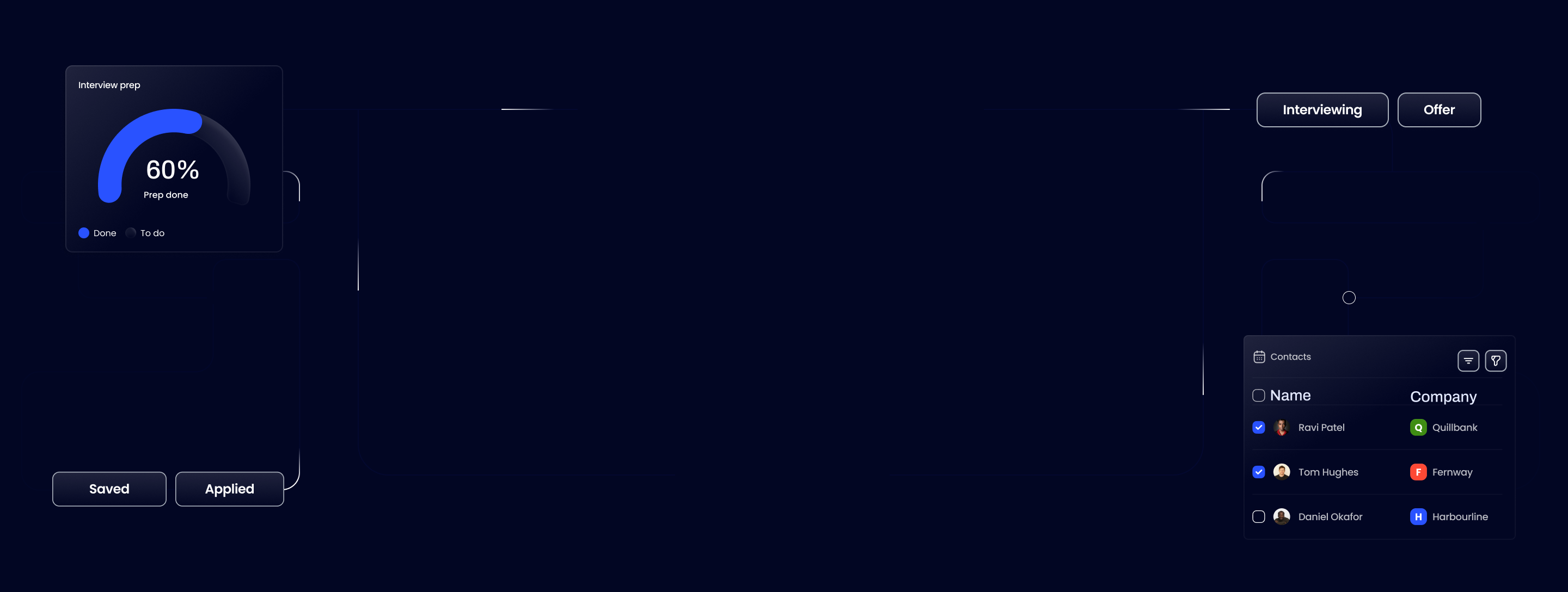
Ask Tua is the coaching app for your whole job search. Find relevant roles from 5,600+ UK companies, target your CV to each role, track applications and follow-ups, and learn what earns interviews.
Unlock your career potential today

Experience the power of Ask Tua and run your whole job search in one app.
Step 3: use AI for interview prep, not just document drafting
Most articles about AI job search stop at the application. That is the wrong place to stop. Interview preparation is where AI creates some of its highest leverage, and it is almost entirely ignored by competing guides.
The context matters here. Hiring Lab data shows that 62% of employers expect to use AI for most or all hiring stages by 2026. Recruiters are screening more candidates faster. That means the bar for being memorable, specific and confident in an interview has risen. Vague answers that might have passed 2 years ago are now a fast exit.
AI can help you practise harder and prepare smarter, without memorising scripted answers that fall apart under follow-up questions.
How to use AI for mock interview prep
Start with a prompt like this, pasted directly into ChatGPT or a similar tool:
Message template
"Here is the job description for a [role title] at [company name]: [paste JD]. Based on this, generate 10 likely interview questions, including at least two behavioural questions and two questions about my fit for this specific role. For each question, suggest the type of answer structure that would work best."
Then work through your answers out loud. Use AI to pressure-test them:
Message template
"Here is my answer to the question 'Tell me about a time you managed a difficult stakeholder.' What is weak about this answer? What follow-up questions would a good interviewer ask?"
What AI-assisted interview prep should do:
- Generate role-specific questions you would not have anticipated
- Help you tighten your STAR-format stories so they are concise and specific
- Identify where your answers are vague, circular or missing a clear outcome
- Give you a safe space to practise under pressure before the real thing
What it should not do:
- Script your answers word for word
- Replace the judgement you need to read the room in a real conversation
- Substitute for knowing the company, the product and the role in genuine depth
If you are consistently struggling at the first interview stage, the problem is usually specificity, not nerves. Our piece on why candidates keep failing first-round interviews and how to fix it goes deeper on the patterns we see most often.
Step 4: use AI to run a more organised search over 90 to 120 days
A well-targeted, well-prepared job search still fails if the admin falls apart. And in 2026, the admin pressure is real.
Huntr's Q1 2026 data puts the median time to first offer at 108 days, the slowest on record. Post-interview delays averaged 12 days. 18% of all offers were pulled before start dates. That is a long campaign with a lot of moving parts: applications to track, follow-ups to time, hiring manager names to remember and deadlines to hit. When that information lives across 3 browser tabs, a spreadsheet and your inbox, things fall through.
AI will not fix disorganisation on its own. But it can reduce the admin load enough that you stay consistent across a long search instead of losing momentum after week 4.
A 90-day AI-assisted search operating system
Weeks 1 to 4: Build your target list and baseline materials
- Use AI to analyse 10 to 15 target job descriptions and extract the skills pattern across your chosen roles
- Produce a master CV with strong, evidence-backed bullets that you will build each version from
- Draft 2 or 3 cover letter templates for different role types, built from your own notes
- Set up a simple tracking system: company, role, date applied, status, next action
Weeks 5 to 8: Active applications and first interviews
- Use AI to target each application from your master materials, not from scratch
- After each interview, use AI to debrief: "Here is what I was asked. What did I handle well? What should I sharpen?"
- Draft follow-up messages with AI, then personalise them before sending
Weeks 9 to 12: Maintain momentum and manage the pipeline
- Use AI to summarise roles you are progressing with so you stay sharp on the details
- Track what is moving and what has gone quiet. Chase anything that has been silent for more than 10 days
- Review your target role list. If the same types of roles keep going nowhere, use AI to diagnose whether the fit, the framing or the targeting is the problem
Organisation is not a soft skill in this market. It is the difference between a search that compounds and one that stalls.
Step 5: know where AI hurts your chances
Most AI job search guides end at the tips. This one does not, because the risks are real and worth naming plainly.
Using AI carelessly in a job search does not just fail to help. It can actively damage your chances. Recruiters are more attuned to generic AI output than most candidates realise. Bentley University research and recruiter commentary consistently show that applications which read as unedited AI output are increasingly treated as a fast rejection signal, not a neutral one.
The main risk is blending in. If your cover letter reads the same as dozens of others, it does not give a hiring manager a reason to move you forward.
Red flags to watch for in your own AI-assisted applications
- It sounds like everyone else. If you could swap your cover letter with another candidate's and it would still make sense, it is not personal enough.
- You cannot defend it in the room. If a phrase, claim or achievement in your CV would make you hesitate if asked about it in an interview, remove it.
- The metrics are invented. AI will sometimes fill in plausible-sounding numbers when you have not provided real ones. Check every figure against your actual experience.
- The tone is not yours. If you would never say "I am a results-oriented professional with a demonstrated track record" out loud, do not let it appear in writing.
- The role description has been parroted back. Mirroring language is good. Copying the job posting almost verbatim and presenting it as your own experience is not.
- You skipped the read-aloud test. If you have not read your application out loud, you have not finished editing it.
The final check is not technical. It is this: would you be comfortable answering questions about every claim in this document, in detail, under pressure? If not, it is not ready.
Use AI to create better signals, not more noise
The job search edge in 2026 is not access to AI. Every candidate has that. The edge is using it with more discipline, better inputs and more honest self-review than the person applying for the same role.
The candidates who get results are not the ones who automate the most. They are the ones who use AI to sharpen their targeting, tighten their materials, prepare more specifically and stay organised across a search that will likely run 3 to 4 months. That combination, judgement plus AI support, produces better signals. More applications just produces more noise.
What this guide covered:
- AI fluency is now baseline in tech hiring. The edge comes from using it better, not just using it.
- Target before you apply. AI can screen roles, surface skill patterns and flag poor fits before you invest time in an application.
- Update with real inputs. AI sharpens what you give it. It cannot create what does not exist.
- Prepare for interviews, not just documents. Mock prep with AI is one of the most underused advantages in a job search.
- Stay organised across a long search. In a market where offers take 108 days, discipline compounds.
- Know the risks. Generic, unedited AI output is increasingly a rejection signal, not a neutral one.